Skip to content

In-company training

Practical AI training for companies

I help companies and teams find out how to apply artificial intelligence to the work they already do every day: saving time, cutting repetitive work and handling documents, text and data better. No unnecessary theory and no programming.

2 formats
Management and teams
1.5 – 3 h
Depending on the format
Tailored
Examples based on your activity
Adrián Gosálvez, software engineer specialised in artificial intelligence

The case for it

What it saves, measured in working hours

These are examples of tasks that can be worked on during the session itself, with the company’s own documents and situations. The point is to see in practice how much time AI can save in each case.

What it saves, measured in working hours
Task Before After
Summarise a 60-page tender and pull out deadlines and requirements 45 min 6 min
Turn visit notes into a presentable report 30 min 5 min
Adapt a base proposal to a specific client 40 min 8 min
Draft the reply to a complaint with the right tone 20 min 4 min

Indicative timings, used as an example. The actual result can vary with the task, the user’s experience, the information available and the level of review needed.

Run the numbers for your team

If ten people spend two hours a week on tasks like these and start solving them in a fraction of the time, the maths speaks for itself. That is the yardstick for deciding whether the training pays for itself.

The starting point

Almost every company wants to use AI. Very few know where to start.

The conversation usually stops at headlines and flashy demos. When the time comes to apply it to real work, the same questions always show up:

  • Which tool to use

    Dozens appear every month and it is not clear which ones are useful for the company’s work.

  • Where it actually adds value

    Not everything improves with AI. Telling one from the other saves time and money.

  • Which tasks can be improved

    The opportunities are usually in everyday tasks nobody stops to review.

  • What the risks are

    Privacy, confidentiality and wrong answers: it pays to know where the limits are.

  • How to get the team to use it

    Without examples applied to their own work, the tool gets opened once and then dropped.

Formats and prices

Two formats, and the package that chains them together

One to decide where AI fits in the company. Another so the team uses it properly in their daily work. They can be booked separately, or combined to work through the management view first and the hands-on side with the team afterwards.

Format 1

AI for owners and management

An executive session, direct and business-focused, to understand what AI can bring to the company today and where it makes sense to apply it.

1.5 – 2 hours

from 450 € + VAT

basic tailoring included

Who it is for

  • Business owners and SME founders
  • General management and directors
  • Department heads

What you leave with

  • Your own criteria for judging where to apply AI and where not to
  • A list of company processes worth looking at first
  • Clarity on risks, limits and responsible use
See contents

What it covers

  • What AI can and cannot do today
  • Real opportunities to apply it in the company
  • How to spot processes worth improving
  • Productivity and automation
  • An overview of the available tools
  • Privacy, security and risk
  • Criteria for deciding when to use AI
  • Real examples applied to companies

Format 2

Hands-on AI workshop for teams

Hands-on training where each attendee works with AI on tasks similar to the ones they do during their day. People leave having practised on real work, not having watched a demo.

3 hours

from 750 € + VAT

Groups of any size · adaptable format

Who it is for

  • Administration and back office
  • Sales and marketing
  • Human resources
  • Operations and customer service

What you leave with

  • Learning to get day-to-day tasks done in less time with AI
  • A method for asking well and reviewing what comes back
  • Judgement about what information must not leave the company
See contents

What you practise

  • Writing and improving emails and copy
  • Summarising, analysing and extracting information from documents and PDFs
  • Preparing reports and proposals
  • Working with spreadsheets and data
  • Researching and cross-checking information
  • Organising knowledge and preparing presentations
  • Automating small repetitive tasks
  • Using ChatGPT, Claude or Gemini properly

The workshop runs with groups of any size. Smaller groups leave more room for questions, specific cases and individual attention; for larger groups we adapt the format and the way the session runs.

I want this workshop

Full package

Recommended

Management + workshop

Both sessions, usually in the same week. It is the most complete option: align management first, then take AI into the team’s daily work.

1.5 – 2 h + 3 h

from 1,050 € + VAT

both sessions

Who it is for

  • Management and team leads
  • The whole team

What you leave with

  • A decision made at the top and the ability to carry it out below
  • Everyone with the same judgement about what to use and what not to
See contents

What it includes

  • The full executive session
  • The full hands-on workshop
  • Workshop cases aligned with what was decided in the management session
  • Support material for both groups

A closed price per session, not per hour. It adapts to the format, how the session runs, the size of the group and the level of tailoring. Includes preparing the cases with documents from your own activity, and the support material.

Other formats

  • Half day 4 h from 950 € + VAT
  • Full day 6 – 7 h from 1,500 € + VAT
  • Follow-up session 60 min 150 € + VAT

Terms

  • Basic tailoring of the examples included.
  • Advanced tailoring or a specific prior analysis: from +200 € extra.
  • Long journeys, meals and accommodation are quoted separately.
  • Large groups or special requirements: custom quote.
  • Prices are indicative and may vary depending on tailoring.
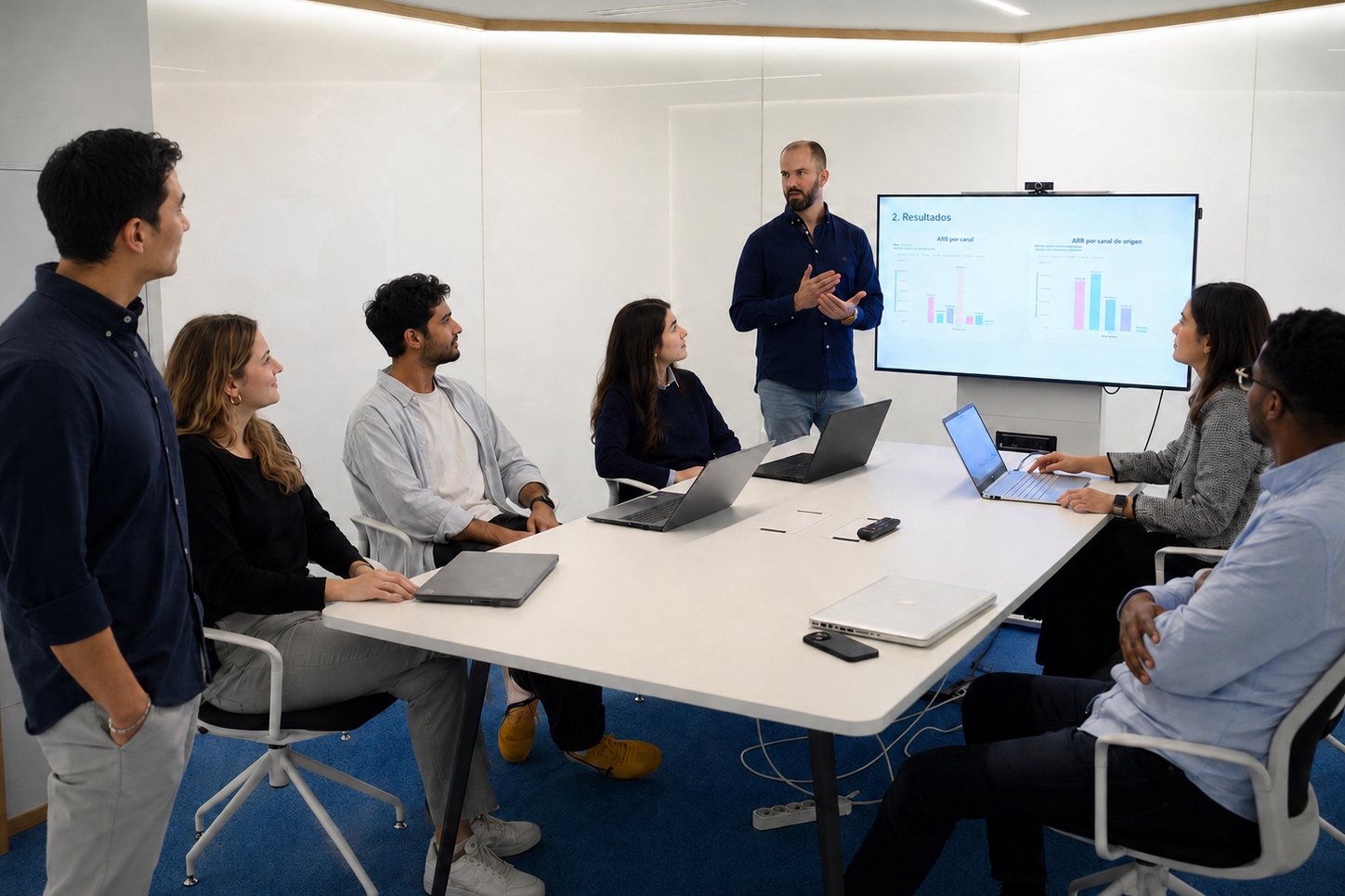
Adrián Gosálvez explaining to a work team in front of a screen

Applications

Where it applies inside a company

These are the areas that show up in almost every company, whatever the sector. The workshop focuses on the ones that weigh most in the team’s daily work.

Documents and PDFs

Summarising, comparing and pulling the points that matter out of long documents.

Summarise a 60-page tender and pull out the deadlines

Email

Drafting, replying and adjusting tone without losing the company’s voice.

Reply to a complaint with the right tone

Reports

Going from loose notes and scattered data to a presentable document.

Turn visit notes into a written report

Spreadsheets and data

Cleaning, cross-checking and understanding data without knowing how to code.

Explain what changed in this quarter’s sales

Sales

Preparing proposals, follow-ups and material adapted to each client.

Adapt a base proposal to a specific client

Automation

Spotting the repetitive task done every week and getting it out of the way.

Sort and prepare the orders that arrive by email

On the day

What you need

Nothing unusual, but worth arranging in advance so no time is lost.

  • A room with a screen or projector

    It can also run online, over a video call.

  • One laptop per attendee, or per pair, depending on how the group works

    In the workshop people work hands-on; nobody just watches.

  • An internet connection

    The tools run in the browser. Nothing to install.

  • Real documents, if possible

    Working with your own documents is what makes the session useful the next day.

How it works

From the first conversation to the session

A short process with no bureaucracy. The preparation is on me; the team’s time goes into the session.

  1. 01

    First conversation

    A short call to understand what you need and whether this training is the right fit.

  2. 02

    Activity and needs

    I look at what the company does, who is attending and which tasks weigh most in their day.

  3. 03

    Adapting the examples

    I prepare the cases with documents and situations close to yours, not generic ones.

  4. 04

    The session

    The training itself, on-site or online, with everyone working on real cases.

  5. 05

    Support material

    Attendees leave with a summary and the examples so they can keep using them the next day.

Plainly

Who this training is not for

Better said now than later. If you are in any of these cases, I will not waste your time.

  • Technical teams already using these tools daily. They would be bored.
  • Anyone after a trends talk or a motivational session. This is hands-on work.
  • Anyone who needs a custom AI product built. That is a different service — I do it too, but this is not it.
  • Anyone expecting AI to fix an already broken process without changing anything else.

Frequently asked

What people usually ask

What if the team is not technical?

That is exactly who it is for. Nothing is programmed or configured: you type into a text box. Anyone who handles email and Word can follow the session.

Does this put our client data at risk?

It is part of the syllabus, not a footnote. We cover what information must not leave the company, the difference between a personal and a business account, and how to work with sensitive documents without exposing them.

Do we need to buy licences or tools?

Not for the session: we work with the free versions. By the end you will know what is worth paying for in your case and what is not — a different decision for every company.

What if nobody uses it afterwards?

It is the real risk with any training, which is why the session works on tasks the team has on their desk that same week. Leaving with real work already done is what makes people open the tool again the next day.

On-site or online?

Both. On-site works better for the workshop, since I can step in when someone gets stuck. The management session works well either way.

How many people can attend?

There is no strict limit. The format adapts to the size of the group. With smaller teams I can spend more time on questions, specific cases and individual attention; with larger groups I adapt the exercises so the session stays useful for everyone.

Adrián Gosálvez working on his laptop at the office

Who runs it

Training run by someone who works with this every day

Adrián Gosálvez · AI Engineer · Technical Lead

I am a software engineer specialised in artificial intelligence. I have spent more than twelve years in the industry, leading teams and digital transformation projects for public and private companies, and I work daily building systems that use language models.

That is the whole difference: what is covered in the session comes from applying it on real projects, not from repeating headlines. Which is also why it is clear about what not to do.

See my full background

Next step

Want to find out how your company could use AI?

Tell me what your company does and what you would like to improve. I will reply with a concrete proposal of format, duration and content.

Request information

Tell me what you need and I will reply with a concrete proposal.

Your details are used only to reply. They are not stored on this site or shared with third parties.